Amazon Locker...The Alternative.
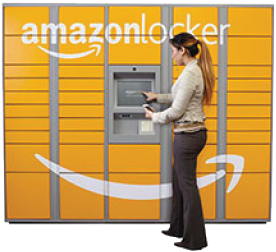 | A Delivery alternative from your home or work address.
Instead of delivering a parcel to your home or business address, you can choose to have your order delivered to an Amazon Locker or Collect+ store, so you can collect your parcel at a time that's convenient for you. Once your parcel is delivered to the pickup location, you'll receive an email notification with a unique pickup code. If your order is delivered to an Amazon Locker, at the pickup location you'll find a set of lockers, one of which will contain your parcel. You'll enter your pick-up code and the locker with your parcel will open. If your order is delivered to a Collect+ store, you'll need to give your pick-up code and identification to the store keeper who'll retrieve your package for you. |
Where are Pickup Locations?
Amazon Lockers and Collect+ stores are currently available in certain areas of mainland UK, in large shopping centres, convenience stores, news agents and train stations.
To find a pickup location, visit the "Manage Address Book" section of Your Account. Click the Enter a new address button, and then search for a pickup location using the search fields shown.on the right hand section of the screen; you can search by postcode, address or landmark.
We're adding new Amazon Locker locations every week and will be delivering to additional Collect+ stores across the UK over the coming months. If there are no pickup locations currently available in your area, you'll see a message that says "No Pickup Locations were found matching your search criteria" when you search for a pickup location, and you'll need to select an alternative address to place your order. Next time you place an order, we recommend you search again to see if we've added a new location in your area.”
How do I place an order for delivery to a Pickup Location?
During checkout, you'll see the option to "Search for a Pickup Location" if all items in your shopping basket are eligible for delivery to one of these locations.
If you don't see the option during checkout, you can add a pickup location to your address book for future orders.
Search for a Pickup Location during checkout:
Place an eligible item in your shopping basket and click the "Proceed to checkout" button.
Click "Search for a Pickup Location near you" when selecting a delivery address.
Search by postcode, address, or landmark to find a suitable pickup location
From the search results, select an Amazon Locker location or Collect+ store by clicking "Dispatch to this address" next to the location of your choice.
Complete your order as usual.
Add a Pickup Location to your Address Book:
Go to Manage Address Book in Your Account.
Click the Enter a new address button.
Search for a pickup location using the search fields shown.on the right hand section of the screen; you can search by postcode, address or landmark.
From the search results, you'll see Amazon Locker and Collect+ locations available. Click "Select" to add the location to your Address Book.
Once the address is in your address book, you can select "Dispatch to this address" during the checkout process and complete your order as usual. All items in your order must be eligible for delivery to a pickup location.
Note: If you manually enter a pickup location in your address book, our system won't recognise your order and we won't be able to deliver your package.
Which items are eligible for delivery to a Pickup Location? Ready to Shop? Just click the logo on the right. |  |
